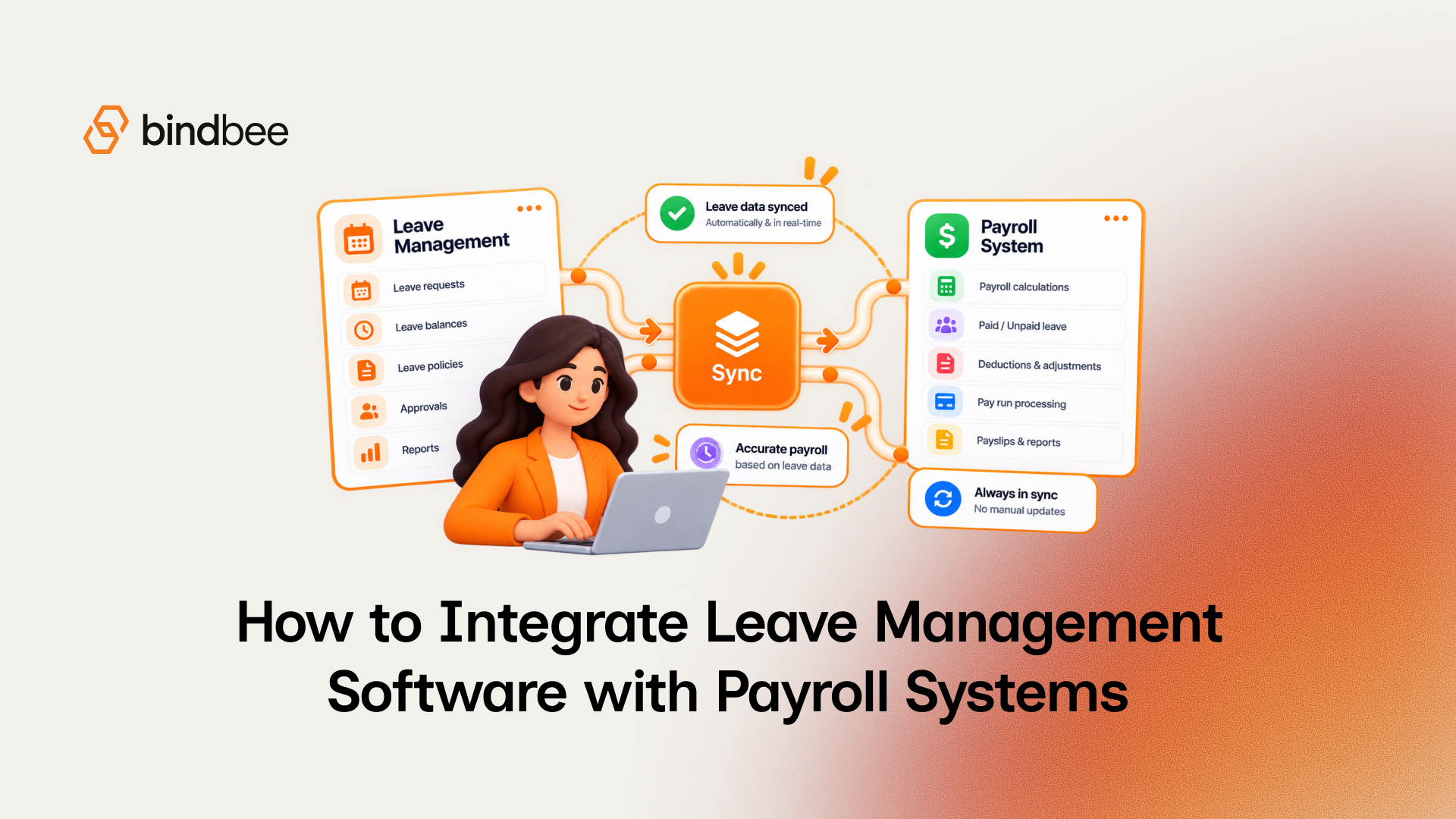
How to integrate leave management software with payroll systems
Summarise the blog with AI
Last verified: October 15, 2026
Key takeaways
- Assign an authoritative owner to identity, approvals, balances, and payroll calculations before selecting a transfer method.
- Choose a transfer method by its supported destination operations, and confirm each one for the customer's configuration.
- Map approved leave to the destination payroll object, including employee identity, units, treatment, and payroll-period allocation.
- Handle unchanged retries, changed revisions, and closed-period corrections as three different operations.
- Keep confidential FMLA medical records in their own storage while preserving applicable employer records.
- Confirm the payroll outcome separately from delivery, acknowledgement, or connector sync.
A leave-to-payroll connection can deliver a record without settling how that leave affects payroll. Delivery is not completion.
If an employee is matched incorrectly, the entry reaches the wrong person. If a leave category maps incorrectly, payroll receives the wrong treatment. If the run has closed, another successful transfer may change nothing. An implementation has to control the decisions on both sides of the connection.
This guide covers the write path: getting approved leave into payroll correctly. Start by assigning ownership and approving payroll rules. Then choose a transfer approach, map approved leave to the receiving system's object and payroll period, make delivery and corrections reliable, keep the right records, and confirm the resulting payroll treatment. Engineering, HR operations, and payroll owners can test these steps as an integration contract before launch. For keeping leave and payroll in agreement once entries are flowing, see how to sync employee leave data between HRIS and payroll.
1. Set ownership and payroll rules before choosing a connector
An integration needs one authoritative owner for each decision it carries. Agree on that ownership before building a write path. Otherwise two systems may change the same balance, or interpret the same absence differently.
Use an ownership matrix for each customer configuration:
Ownership depends on the customer configuration, and a vendor name won't tell you it. In the documented Virtual Roster integration with UKG Pro Workforce Management (formerly Dimensions), Virtual Roster owns schedules and time-off requests, and managers must not edit schedules in UKG.
Payroll and HR also sign off on paid and unpaid treatment, employee classification, partial days, variable shifts, overlapping records, period-spanning leave, and the schedule used to convert days into hours. Resolve carryover and negative balances in the leave-policy contract. A balance change and a wage change are separate decisions.
Federal rules make that distinction consequential. The U.S. Department of Labor explains that holiday, vacation, and sick-leave time without work need not count as hours worked for FLSA overtime, even when paid. For salary-basis exempt employees, 29 CFR §541.602 generally requires full salary for weeks containing work, with specified deductions that include certain full-day absences and proportionate unpaid FMLA leave. The customer's payroll and legal owners approve the applicable treatment; an unpaid flag only records it.
2. Select the transfer method against required operations
Choose the route once you know what the destination must do. A connector that reads employees but cannot make the required leave entry fails a payroll-write requirement.
Compare approaches against the customer's edition, country, payroll or time module, permissions, transfer direction, schedule, correction path, and commercial terms. Some payroll providers charge employers for API access, which can push a team toward file import even where an API exists.
ADP Marketplace examples show why these checks matter. The Attendance on Demand connector sends employee identifiers (File Number and AOID), earning codes, hours, and units to ADP Workforce Now, while reading employee identity, contact, employment, location, and pay-rate data from it. A separate listing, Time Off by HR Cloud, synchronizes approved time off with ADP Workforce Now Essential Time and exports leave data daily for payroll deductions.
Reject an approach when the required destination operation is unavailable or its result cannot be safely reviewed. A secure import that passes those tests is a valid choice, and there is no prize for moving it to an API.
3. Map approved leave to the destination object
The source leave request and the record payroll uses can be different objects. Write a crosswalk that identifies the destination representation, the allocation for each payroll period, and the conditions that stop a write.
The Virtual Roster integration with UKG Pro Workforce Management shows the distinction: it imports time-off requests as paycode edits, through UKG's pay code edits import, rather than as UKG time-off requests. The source request and the destination object do different jobs.
Gusto documents another representation. Its payroll updates identify paid time off in the paid_time_off array by policy_uuid or name, not both. If the requirement says "use sick hours," confirm that policy mapping in the documented payroll representation instead of assuming fields named sick_hours or vacation_hours.
Workday shows a third. A time-off write through Bindbee requires the absence component's Workday ID and a reference date alongside the hours. Ask the connector for its write schema before building the payload:
The response lists the connector's required integration_params: absence_component_wid and reference_date for Workday, and pay_adjustment_code among the options for Dayforce. That is your crosswalk's destination column, read from the customer's own system. To build the category-to-paycode mapping, read the destination's codes from Bindbee's payroll_code model where the connector exposes it.
Suppose an approved request covers a full day on a six-hour scheduled shift in one payroll period and four hours on a shift in the next. Allocate each duration to its period, then reconcile the ten-hour total to the source request's schedule-derived duration. Record the request ID and approval revision with each period allocation and destination-entry reference, so a later correction can find both entries.
4. Make delivery safe through payroll completion
A correct crosswalk still needs an execution contract. Retrying an unchanged operation, applying a changed revision, and correcting an already-processed run are three different tasks.
Use this sequence for each approved allocation:
- Set the run boundary: identify the target payroll run and its company-specific deadline. Set an earlier internal cutoff that leaves time for delivery, exception resolution, and payroll review. Use the customer's actual deadline, never a provider-wide clock time.
- Prepare and journal: satisfy the destination operation's prerequisites, then record the tenant, request, revision, period allocation, intended operation, and destination references. In Gusto's documented workflow, a payroll is prepared before it is updated through the PUT endpoint; the prepare step returns the
versionthe update requires. - Deliver without duplicating: distinguish an unchanged retry from a new revision, and use the endpoint's documented deduplication mechanism. Bindbee's
POST /api/hris/v1/time-offandPOST /api/hris/v1/employee-payroll-runsaccept anX-Idempotency-Key: resending the same key and body returns the saved result instead of writing again, and the same key with a changed body returns a 409. Gusto uses idempotency keys for creates and version checks for updates; a duplicate payroll-cancellation batch returns a 409 that references the original batch. Batch behavior is its own contract, separate from ordinary payroll edits. - Resolve changed records and conflicts: treat an edited approval or allocation as a new operation. Where the destination supports version or equivalent concurrency protection, use it. On a conflict, reread and resolve before writing.
- Investigate unknown or rejected outcomes: check an uncertain write against the destination before resubmitting it. Route validation failures, rejected writes, and unresolved conflicts to a named exception owner. Through Bindbee, the source system's own message comes back on failure (an insufficient balance, a closed payroll period), which is the message your exception owner needs.
- Handle corrections by run state: define update and cancellation behavior for an open run. For an already-processed run, send the corrective path to payroll review; another import may leave the payroll result unchanged.
- Confirm the result: track source approval, attempted operation, destination acknowledgement, destination acceptance, and independently confirmed payroll outcome as distinct states. Reconcile the destination entries and resulting treatment to the approved allocation. If you read through a unified API that serves synced data, the written entry becomes readable after the next sync. Bindbee lets you force one with
POST /api/embedded/v1/connectors/resyncand signals completion with theconnector.sync.completedwebhook.
An HTTP success response, file receipt, or sync event can advance that journal. Only the confirmed payroll outcome closes it.
5. Preserve employer records and keep medical files out of payroll
Keep payroll inputs, leave-administration evidence, and confidential medical records in separate data zones. The U.S. Department of Labor's FMLA recordkeeping regulation requires applicable employer records to identify designated leave dates, and hours when leave is taken in increments shorter than a full day.
For employers and records within that rule's scope, specified FMLA records must remain available for Department of Labor inspection, copying, and transcription for at least three years. Certifications, recertifications, and medical histories are confidential medical records kept separately from usual personnel files, with disclosure limited by the regulation. A delivery queue that expires after days cannot serve as that record.
Set the boundary before defining payloads and log retention:
Keep enough source-to-destination references to reconstruct a correction, and leave physician narratives and certification attachments out of payroll. Scope credentials, protect transfer and storage, restrict access, redact operational logs, and document deletion and preservation rules. Set retention for technical logs separately from employer leave records. For deciding which fields each connection should receive, see employee data field scoping. For tracking the FMLA hours themselves, see how to track intermittent FMLA hours and leave balances.
6. Test the write path, then evaluate the connection layer
Launch when the selected implementation demonstrates the whole approved-leave-to-payroll path. Use observable results, retained evidence, and a failure owner for each acceptance case:
Name an owner for exceptions still open at cutoff, and make launch or rollback a controlled decision. A connector test passes only when payroll can show what happened to each approved allocation. Ongoing reconciliation after launch is covered in how to sync employee leave data between HRIS and payroll.
A unified API provides a common connection layer. The customer's pay treatment, and the destination's support for each edit, stay yours to confirm. Here is what Bindbee's published model availability matrix covers for this write path:
Freshness needs its own test. Bindbee syncs each connection every 24 hours by default, and the interval can be changed per connection on request. Its webhooks fire when a sync runs: connector.sync.completed when it finishes, plus a created and an updated event for each changed model, including hris.time_off, listing the affected record IDs. They report what the last sync found. Compare that with your internal cutoff and exception process; a webhook confirms a sync, and only payroll confirms a run.
If you are evaluating a connection layer for this workflow, discuss your required destination operations, customer configuration, and freshness requirements with Bindbee. For the HRIS side of the same integration, see HRIS integration for leave management software.
FAQ
Does paid time off count as hours worked for overtime?
No. DOL says holiday, vacation and sick time with no work need not count toward FLSA overtime, even when paid.
Can unpaid FMLA leave be deducted from an exempt employee's salary?
Under 29 CFR 541.602(b)(7), the employer may pay a proportionate part of the salary for time actually worked. The customer's payroll and legal owners approve the treatment.
Should a leave integration use an API or a payroll file import?
Use whichever supports the destination operation and lets payroll review the result. A file import that passes those checks is a valid choice.
How do I correct leave after a payroll run has closed?
Send it to the payroll owner's correction path. Another import may leave the processed result unchanged.
Which payroll systems can Bindbee write leave to?
Time-off creation is supported on ADP Workforce Now, BambooHR, Dayforce, Probit and Workday. Pay entries are supported on ADP Workforce Now, Dayforce and Workday. Others are in beta.